twitspin Home for Indonesia Casino Access
twitspin Home brings Live Baccarat Salon, Crash Countdown Round, Fishing War Fast Round and badminton markets into one lobby, with access available where local law permits.
Reach Casino and Slots From Home
Casino and slots sit behind separate, visible category doors on our Home, so you can move from the main lobby to the format you want without searching through…







Choose Games Without Losing Your Place

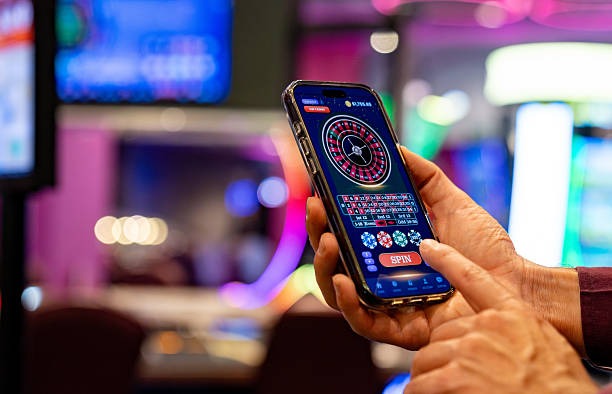
Three clear lobby routes let you browse slots, live tables and sportsbook markets directly from Home. Live Baccarat Salon anchors the dealer area beside roulette, Dragon Tiger and blackjack context, while Crash Countdown Round and Fishing War Fast Round give you shorter casino formats. Football, badminton and basketball markets sit in the sportsbook rather than being mixed into casino results.
When you return to Home, the category row remains the practical starting point, so switching formats does not require another account or a separate wallet setup. Use the search field when you already know a title, or browse by category when you want to compare formats.
See Every Main Route Before You Start

Open One Account With Phone Verification
A clear phone check separates account creation from lobby access on twitspin Home. Start through the account path, enter the requested profile details and confirm the code sent to your registered phone before trying to reach the cashier or game lobby. This sequence helps prevent login confusion because your casino activity and local wallet status remain connected to the same
profile. Once verification is complete, return to Home and choose the casino, slots or sportsbook route rather than creating another account for a different category. Keep the registered phone available when checking an access issue, as support uses that account path to identify the relevant status.
Move Between Live Casino and Slots
Track DANA and QRIS From Home
Four local wallet routes make the cashier easier to read from Home: DANA, OVO, GoPay and QRIS. Choose the named method first, confirm the amount and destination shown, then check the resulting status under the same account rather than repeating the request. QRIS follows a scan-based path, while DANA, OVO and GoPay use their own wallet selection. Bank transfer and
virtual account choices add BCA, BRI, Mandiri and BNI context when a wallet is not your preferred route. For withdrawals, review the registered phone and destination details before submitting; the cashier status then shows whether the request needs another account check.
Know What Home Shows Before Access
Clear account, cashier and policy routes provide the practical checks you need before entering a game.
Phone Check First
Account access follows confirmation of your registered phone. Keeping this step visible on Home makes it clear whether you need to finish verification or use the existing account path.
Named Payment Rails
The cashier identifies DANA, OVO, GoPay, QRIS, bank transfer and virtual account separately. You can choose a rail by name and inspect its status without guessing which wallet was used.
Direct Access Wording
Availability depends on local law, and we state that condition when account or game eligibility is discussed. Home links the relevant policy path without making unsupported regional claims.
Receipt Status Path
A payment receipt or pending wallet entry can be checked from the cashier route attached to your account. This gives support a specific transaction status to examine when you request help.

Keep One Mobile Path to the Lobby
One mobile path carries you from account verification to Home, the game lobby and the cashier without requiring a separate app. Open twitspin.bet in your phone browser, complete the account step and use the Home category row to reach casino, slots or sportsbook markets. The layout keeps DANA, OVO, GoPay and QRIS names readable on a smaller screen, while QRIS
remains available through its scan route. Slot search is positioned for quick title lookup, and live table access remains beside the casino category. On a computer browser, the same account and wallet statuses remain available without creating another profile.
Choose DANA or QRIS Without Guesswork
Each local payment route on Home leads to a named cashier choice rather than an unlabelled wallet screen.
Find Casino and Slots With Clear Filters
Casino and slots remain easy to separate through the filters and category controls on Home, whether you prefer a live dealer format, a reel-based room or a shorter…
Keep Wallet Activity With One Account

Clear phone verification keeps casino access and wallet activity connected to one account from Home. Use the registered phone path when opening the account, then return through the same profile whenever you check a game session, payment receipt or withdrawal status. We separate login status from cashier status because correcting one does not automatically resolve the other. Before submitting a
withdrawal request, confirm that the displayed destination belongs to the route you selected and that your phone verification is complete. If something does not match, pause on the status screen and use account help rather than opening another profile or repeating the transaction.
Reach Help From the Relevant Home Path
Account and payment help stay close to the routes where an issue appears. If phone verification blocks access, start from the account area rather than the game lobby. If DANA, OVO, GoPay or QRIS status stalls, open the cashier entry linked to that request and keep the receipt details ready. This separation gives us the account context needed to inspect the right step without asking you to recreate the issue elsewhere. Home remains your return point after each check, with casino, slots, sportsbook and policy links available from the same session.
Account Access Help
Use this path when phone verification or account access does not complete. Keep your registered phone available so the relevant profile step can be identified without creating another account.
Wallet Status Help
Open the cashier request connected to DANA, OVO, GoPay or QRIS when its status is unclear. The named wallet and transaction entry help us focus on the correct payment path.
Receipt Checks
Keep the payment receipt, selected rail and displayed destination together when requesting a status check. These details let the account help path examine the existing request instead of duplicating it.
Check Indonesia Access Before Opening Games
A visible access statement on Home helps you separate local availability from account or wallet status. Casino, slot and sportsbook access depends on local law, even when the page and Indonesian payment routes are reachable on your device. Check the linked policy terms before opening an account, particularly if your location or eligibility has changed. DANA, OVO, GoPay, QRIS, bank
transfer and virtual account visibility describes the cashier routes configured for Indonesia; it does not replace an access check. Once you have confirmed the applicable terms, use the Home account path for phone verification and the category row for the lobby you want.
Get Clear Answers About twitspin Home
These answers cover the practical decisions you face on twitspin Home before opening an account or entering the lobby. They explain what appears on the page, how phone verification works, where local wallet routes begin, how mobile access behaves and which path handles a stalled status. We also state the Indonesia availability condition directly, so account eligibility is not confused with device access or payment visibility. For a specific transaction issue, keep the named rail, receipt and account status together before opening the relevant help path.